
Manage beneficiary accounts
A beneficiary account is the bank account used to pay out a refund to your customer. Twikey stores beneficiary accounts per customer, so you can reuse them across multiple refunds without re-entering the IBAN each time.
Beneficiary accounts are created in two ways:
- Automatically — when a refund is initiated from a transaction, Twikey uses the IBAN from the customer's mandate as the beneficiary account.
- Manually — you can add additional beneficiary accounts on the customer detail page.
Add a beneficiary account
- Navigate to Customers in the left-hand navigation menu.
- Click the customer to open the detail page.
- Open the Refunds tab.
- Click the + icon to add a new beneficiary account.
- Enter the IBAN.
- Click Save.
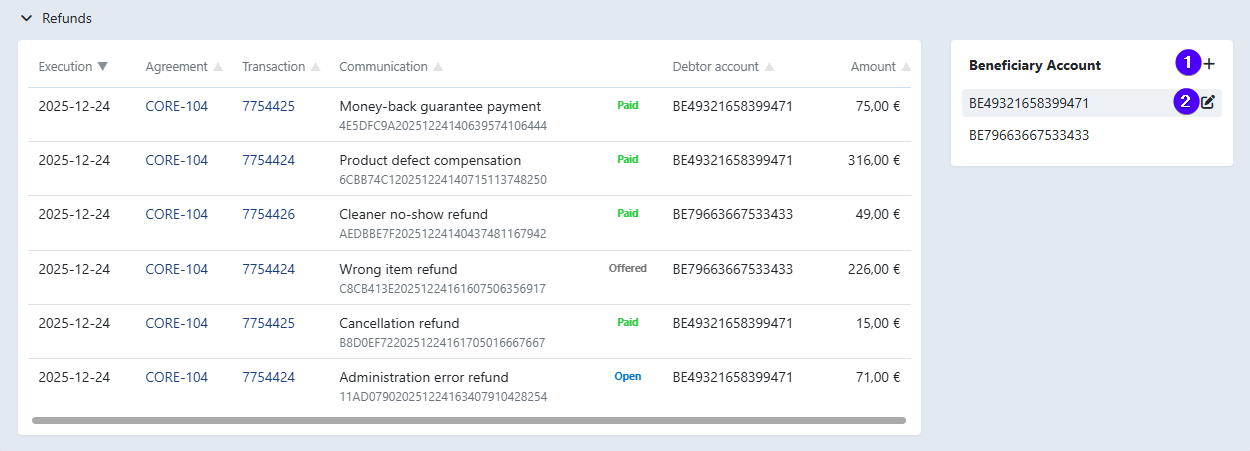
The new account is now available when creating a refund for this customer.
Suspend or reactivate a beneficiary account
- Navigate to Customers in the left-hand navigation menu.
- Click the customer to open the detail page.
- Open the Refunds tab.
- Click the edit icon next to the beneficiary account.
- Select Suspend or Reactivate as needed.
- Click Save.
Suspended accounts are shown with a strikethrough and are excluded from refund batches.
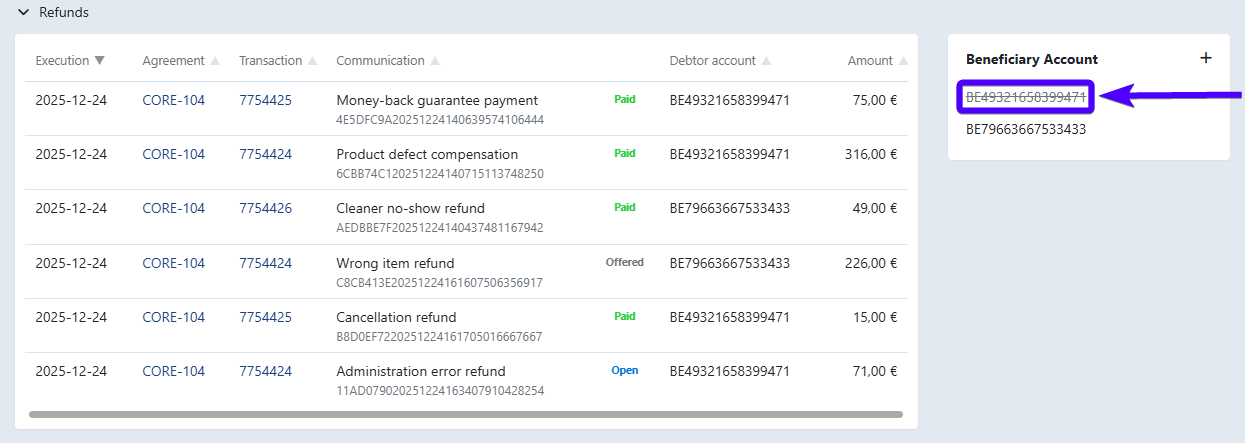
If a refund batch contains items linked to a suspended beneficiary account, those items appear as **Blocked items** when preparing the batch. You can reassign them to a different beneficiary account before submitting.
Last Update: 2026-03-10