
How to match manually
You can manually match a bank transfer to one or more open invoices. The matched invoices are marked as paid.
Match a transfer to an invoice
- Navigate to Reconciliation in the left-hand navigation menu.
- Click Matching.
- Click the transfer to open the matching modal.
- Search for your customer or invoice:
- Customer — search by customer number or email address.
- Invoice — search by invoice number or UUID.
- Click the + icon next to an invoice to add it to the selection.
- Repeat for additional invoices if the transfer covers multiple amounts.
- Click Link to confirm the match.
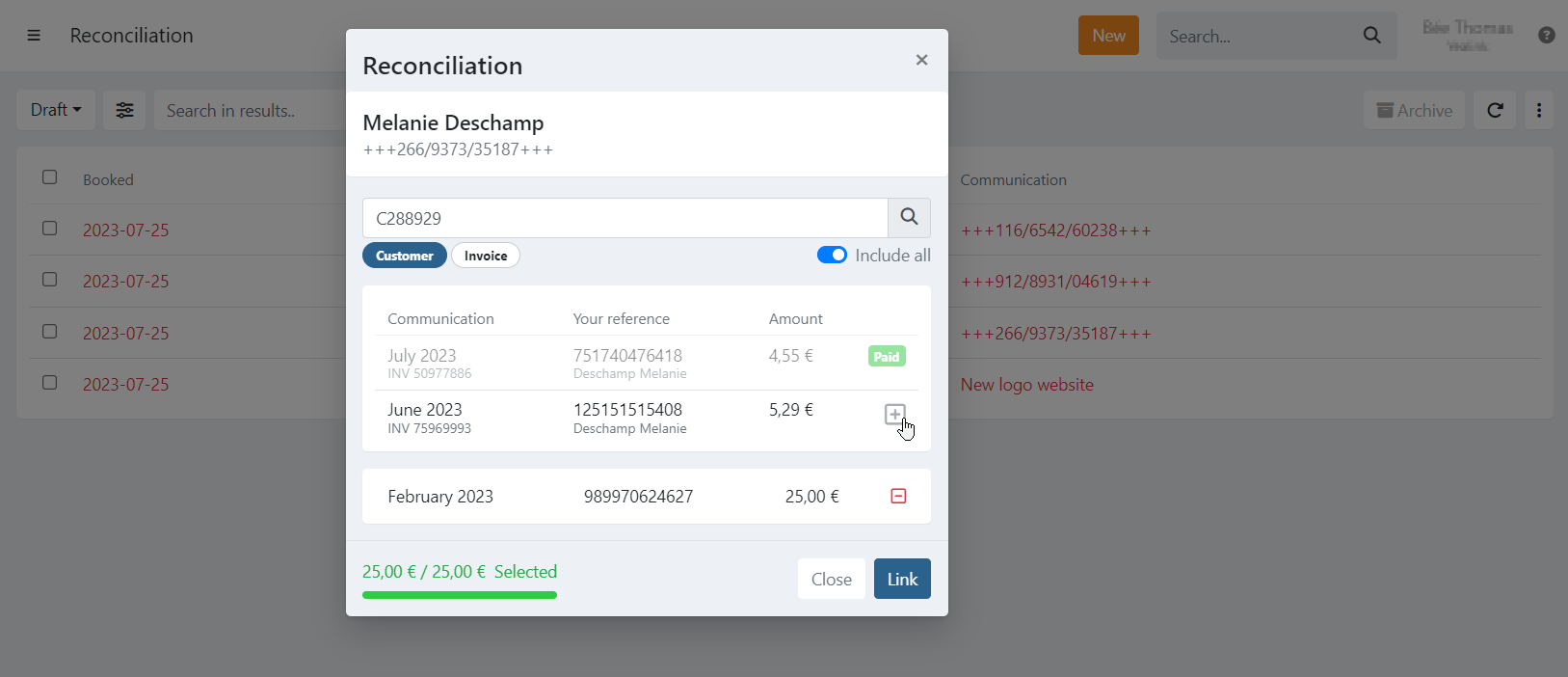
Multiple invoices can be matched to one transfer. The total amount of the selected invoices must exactly match the transfer amount.
You cannot match one invoice to multiple transfers.
To remove an invoice from the selection, click the − icon next to it.
Last Update: 2026-03-11