
How to create a payment link
- From the payment links overview
- From the customer details
- From the global new button
- Importing payment links
- Using API
- Other methods
A payment link can be created using various methods. In this page, you'll find the procedure for each method.
From the payment links overview
- Navigate to the payment links overview interface.
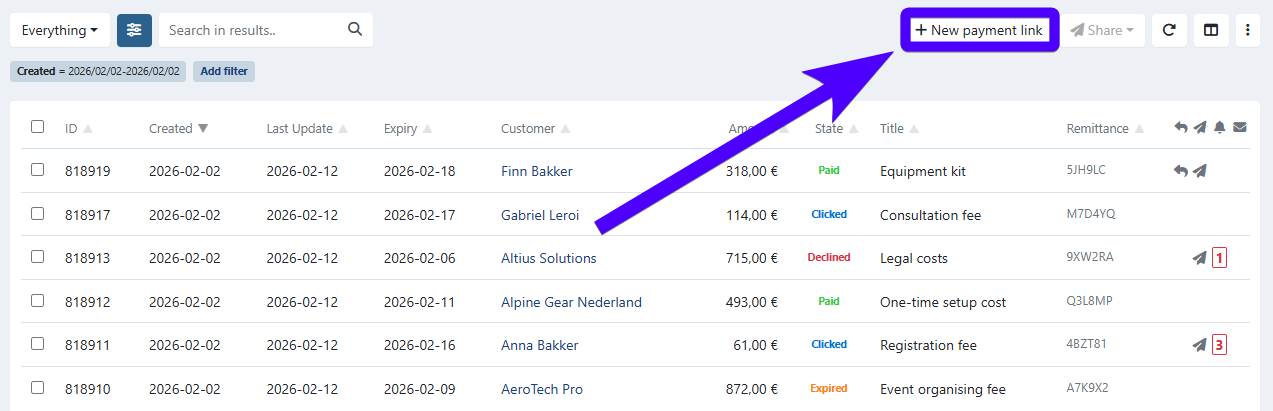
- Click on New payment link.
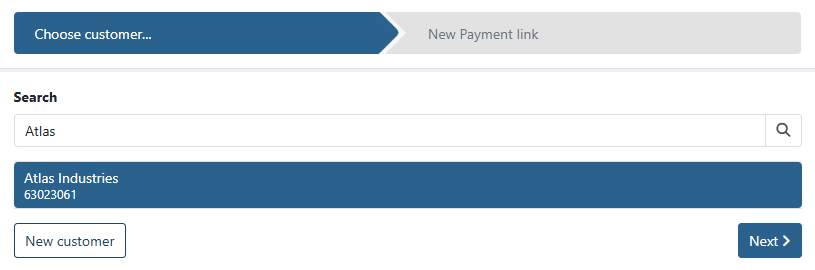
- Select the existing customer that will receive the payment link. Alternatively, if the customer doesn't exist yet, you can also click on New customer.
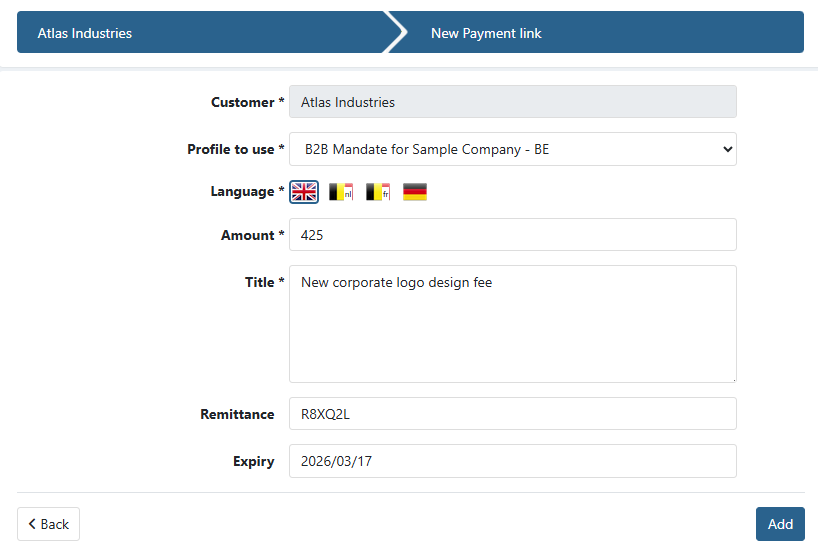
- Fill in the details of the payment link. Fields marked with an asterisk are mandatory.
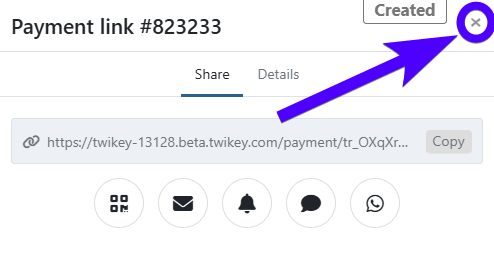
- Afterward, a menu that allows you to send the payment link will pop up. Click here to learn more about sending a payment link. If you prefer to send the payment link later, you can close the menu by clicking on the close button, as shown in the image below:
From the customer details
- Navigate to the customer details interface of a customer.
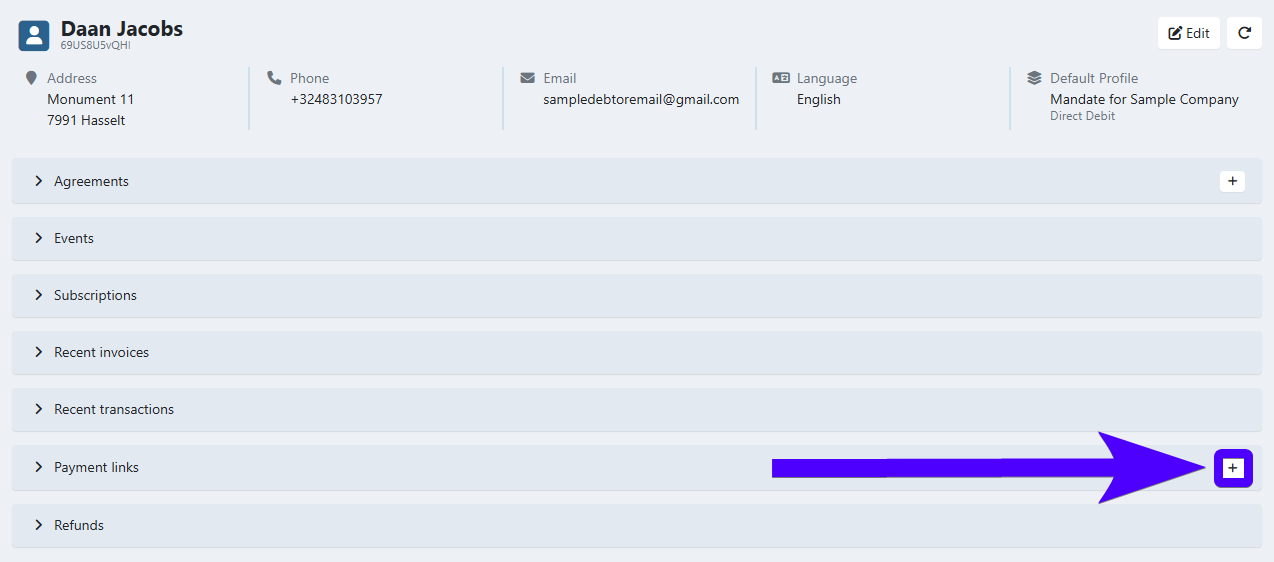
- Click on the plus icon in the payment links section of this interface.
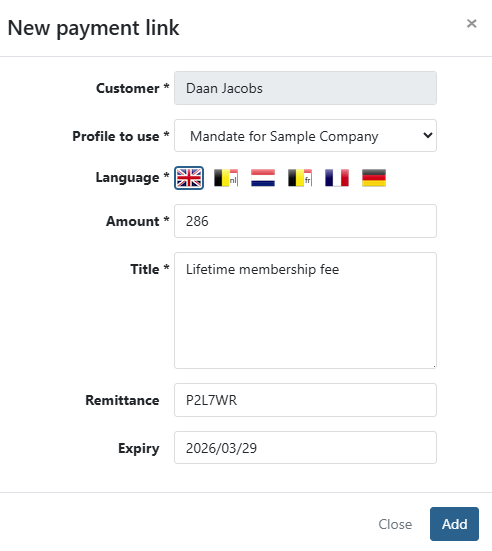
- Fill in the details of the payment link. Fields marked with an asterisk are mandatory.
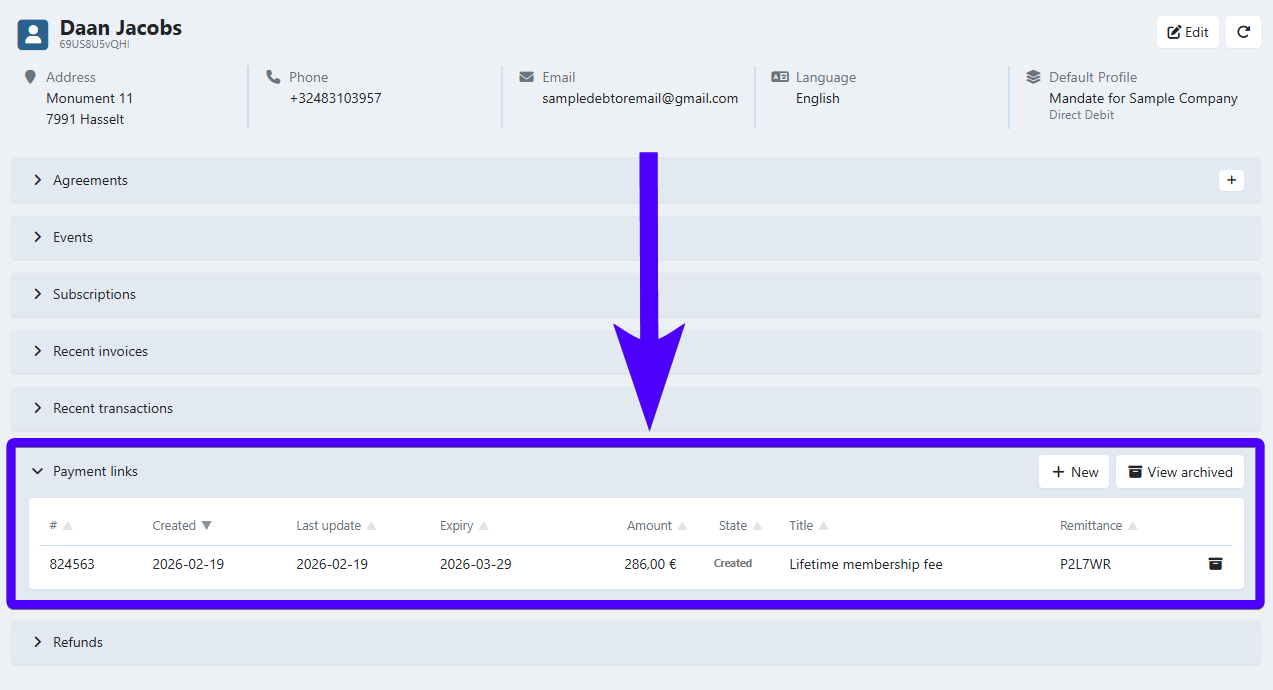
- Afterward, the newly created payment link will appear on the payment link section of this interface.
From the global new button
The global new button is a button that can be used to create various items in Twikey.
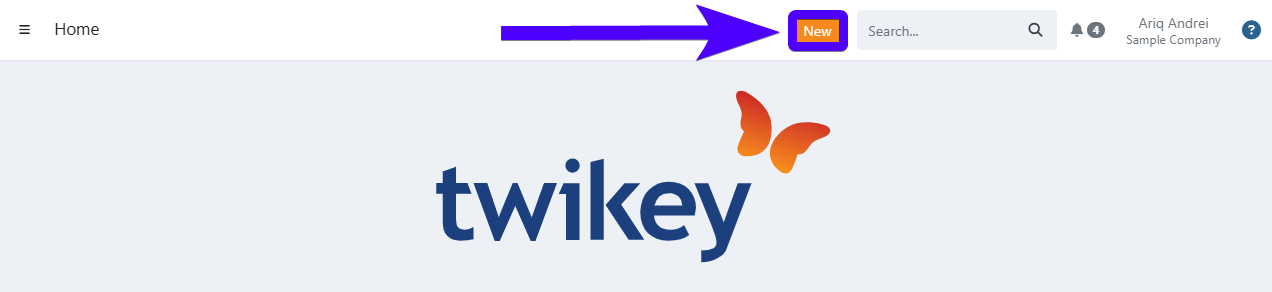
- Click on the global new button.
- Select payment link.
- Select the existing customer that will receive the payment link. Alternatively, if the customer doesn't exist yet, you can also click on New customer.
- Fill in the details of the payment link. Fields marked with an asterisk are mandatory.
- Afterward, a menu that allows you to send the payment link will pop up. Click here to learn more about sending a payment link. If you prefer to send the payment link later, you can close the menu by clicking on the close button, as shown in the image below:
Importing payment links
Besides being created on the Twikey interface, payment links can also be imported. This method is advisable if you need to create a large number of payment links in one go. Click here to learn more.
Using API
If you're using Twikey in tandem with another software, then you will need to use API. Further information about creating a payment link via API can be found here.
Other methods
Besides the methods mentioned above, a payment link is also created as a byproduct of the following processes:
First payment: A customer can sign an agreement by paying a small amount of 0,10 €. If this method was chosen, then a payment link will be automatically generated for this customer.
Dunning: If a direct debit payment fails, a payment link can serve as a back-up payment method. Click here to learn more.
Invoice: A payment link can be generated from an invoice.
Credit card renewal: In a credit card agreement, whenever a credit card's expiry is imminent, Twikey sends a payment link to the customer - which is used to renew the agreement.