
How to generate a PDF document for an invoice
- Option 1: Twikey PDF renderer (automatic...
- Option 2: Custom HTML template (manual g...
- How to merge multiple PDF invoices into ...
- PDF customisation
There are two ways PDF documents are produced for invoices in Twikey, depending on your account setup: automatically via the Twikey PDF renderer, or manually from a custom HTML template you provide. Both approaches result in a downloadable PDF that can be used for archiving, postal sending, or attaching to external communications.
Option 1: Twikey PDF renderer (automatic)
When the Twikey PDF renderer is enabled on your account, PDFs are generated automatically as soon as an invoice is uploaded or created — no manual action is required. The PDF is immediately available and is also automatically included in the UBL file when sending via Peppol.
The renderer uses the invoice template configured for your account. In the profile settings under Invoices, you can define a top text, bottom text, and footer text that appear on every generated PDF. These text fields support attribute placeholders (e.g. {{customAttribute}}) that are filled in dynamically per invoice.
The text on the generated PDF also adapts based on the debtor's payment situation:
- Debtor has an active mandate — the PDF reflects that the invoice will be collected automatically via direct debit. The payment instructions shown to the customer are adjusted accordingly.
- Debtor has no mandate — the PDF includes the standard payment instructions, prompting the customer to pay manually.
You can view the PDF by clicking on the invoice in the overview and selecting Document, or via the PDF icon in the invoice list.
Unit of measure (UOM) on invoice lines
When invoice lines include a unit of measure code (passed via the API using the uom field), the PDF displays a human-readable label in the debtor's language. The following codes are supported:
| Code | Label |
|---|---|
| HUR | Hourly |
| DAY | Daily |
| MON | Monthly |
| ANN | Annual |
All other UOM codes are left blank on the PDF.
Option 2: Custom HTML template (manual generation)
If your account uses a custom-built HTML invoice template, PDFs are not generated automatically on upload. Use this flow to generate the PDF from your template whenever you need it.
- Navigate to the invoices overview
- Set the advanced filter to PDF Available = No
- Select one or more invoices
- Click Actions in the top-right corner.
- Select Generate
- Click Generate PDF
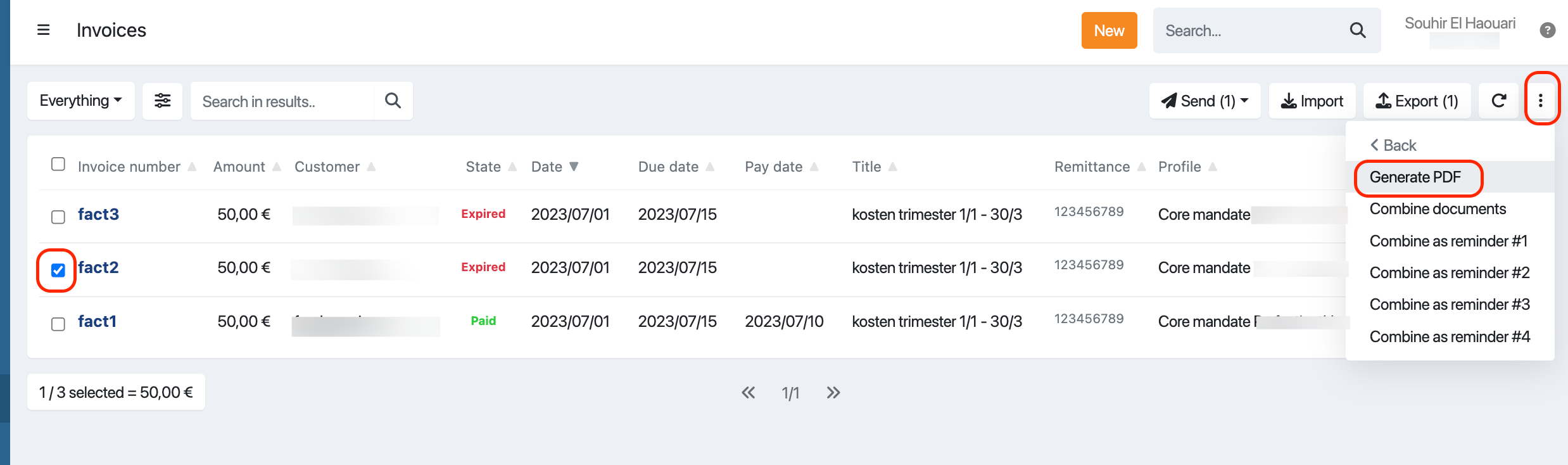
After a short while the system will generate the PDF documents.

Via the PDF icon in the invoice overview, the file can be viewed.
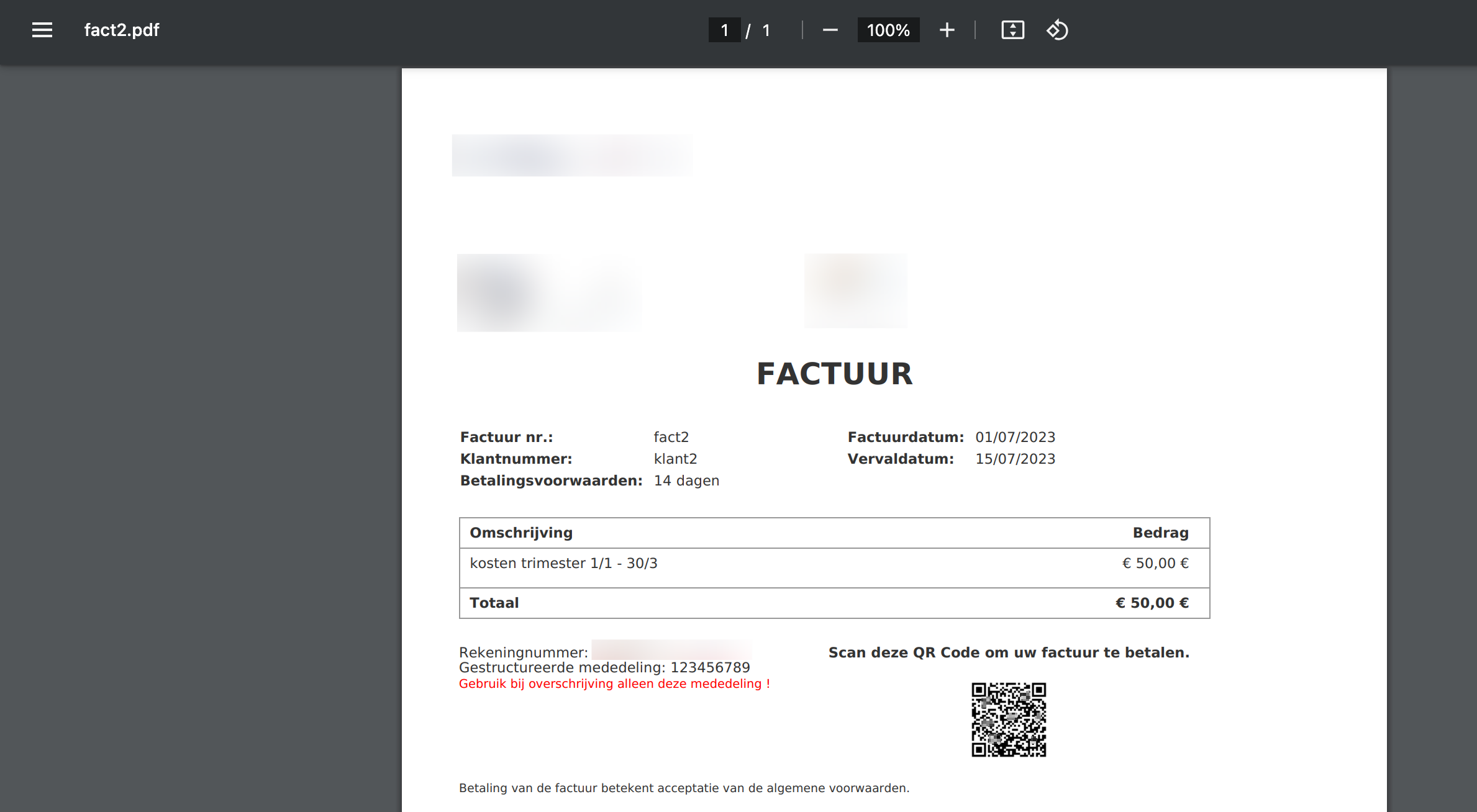
Alternatively, open the invoice details and choose Document.
How to merge multiple PDF invoices into a single PDF.
If you need to share or archive multiple invoices at once — for example, to send to a customer who does not have an email address — you can combine all generated PDFs into a single ZIP file.
- Navigate to the invoices menu overview
- Set the advanced filer to PDF Available" = Yes
- Select one or more invoices
- Click Actions in the top-right corner.
- Select Combine documents
- Click Yes
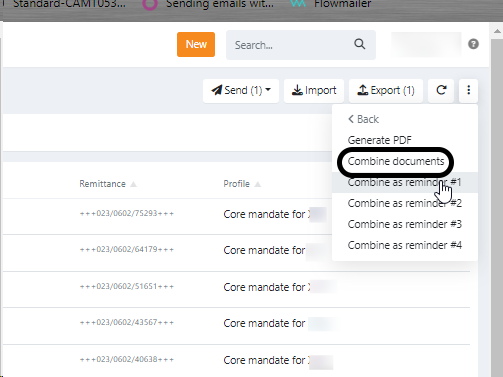
After a while you receive an email containing
- a link to a ZIP file with all the selected invoice PDFs included.
- a link to a CSV file with all the selected invoice included.
PDF customisation
Generated invoice PDFs use your company branding by default — your logo and primary colour are applied automatically based on your branding settings.
You can further customise the PDF layout at profile level:
- Top note and bottom note — A short text that appears at the top or bottom of the invoice PDF. Configured in the profile's Documents settings.
- Custom invoice template — A fully branded invoice template can be uploaded to replace the default layout entirely.