
Global search function
Show me
Find anything
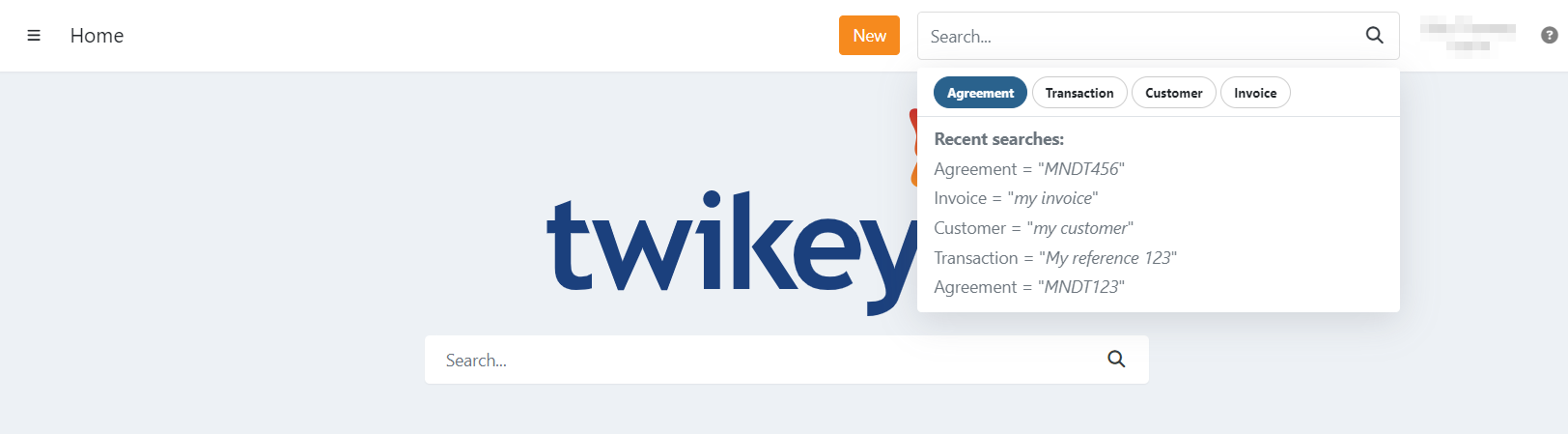
Twikey provides a search option on every page, but this is limited to the first 500 items currently loaded.
To search across all agreements, transactions, invoices, or customers, use the global search function.
This performs a comprehensive search and may take slightly longer to display results.
You can access it from any page, via the search bar in the top-right corner.
Global search also keeps a recent search history, allowing you to quickly revisit previous queries.
What you can search for
Agreements
Search agreements using:
- Mandate reference
- Contract reference
- Customer name (company or individual)
- Customer number
- Value of a custom attribute on the mandate
Transactions
Search transactions using:
- Your own transaction reference
Customers
Search customers using:
- Customer name (company or individual)
- Customer number
- Full or partial email address
Searching using only a domain including its top-level domain (e.g.,.com,.net) will not return results. Use just the domain name instead.
Invoices
Search invoices using:
- Invoice number
- Your reference for the invoice
- Twikey reference
Advanced filters
For more targeted results, consider using advanced filters.
Last Update: 2026-02-12