
Security and login
- Security is our top priority
- Account protection recommendations
- Enabling Two-Factor authentication (2FA)
- Forgot your password
- Login sessions
Security is our top priority
Protecting your customer data and your Twikey account is our highest priority. Our systems comply with all relevant security standards, including ISO certification, GDPR, and PCI-DSS. You can find detailed information and our Privacy Statement on the Security page.
Your customer base is fully isolated and cannot be accessed by other users or companies. As an administrator, you control who has access to your environment. When a user leaves the company, remove their access immediately. See Users for guidance.
Account protection recommendations
To further protect your account, we recommend:
- Using a strong, unique password with letters, numbers, and symbols
- Avoiding password reuse from other platforms
- Enabling two-factor authentication (2FA) for an extra layer of protection
Enabling Two-Factor authentication (2FA)
Twikey supports 2FA via the free Google Authenticator or Authy apps on smartphones or tablets.
To activate 2FA for your account:
- Install the Google or Authy app on your device.
- Log into Twikey and Navigate to Personal Information by clicking your username in the top-right corner.

- Under Enable 2-factor authentication, check the box:
"Help keep the bad guys out of your account by using both your password and your phone." - Scan the QR code with your authentication app and confirm the OTP.
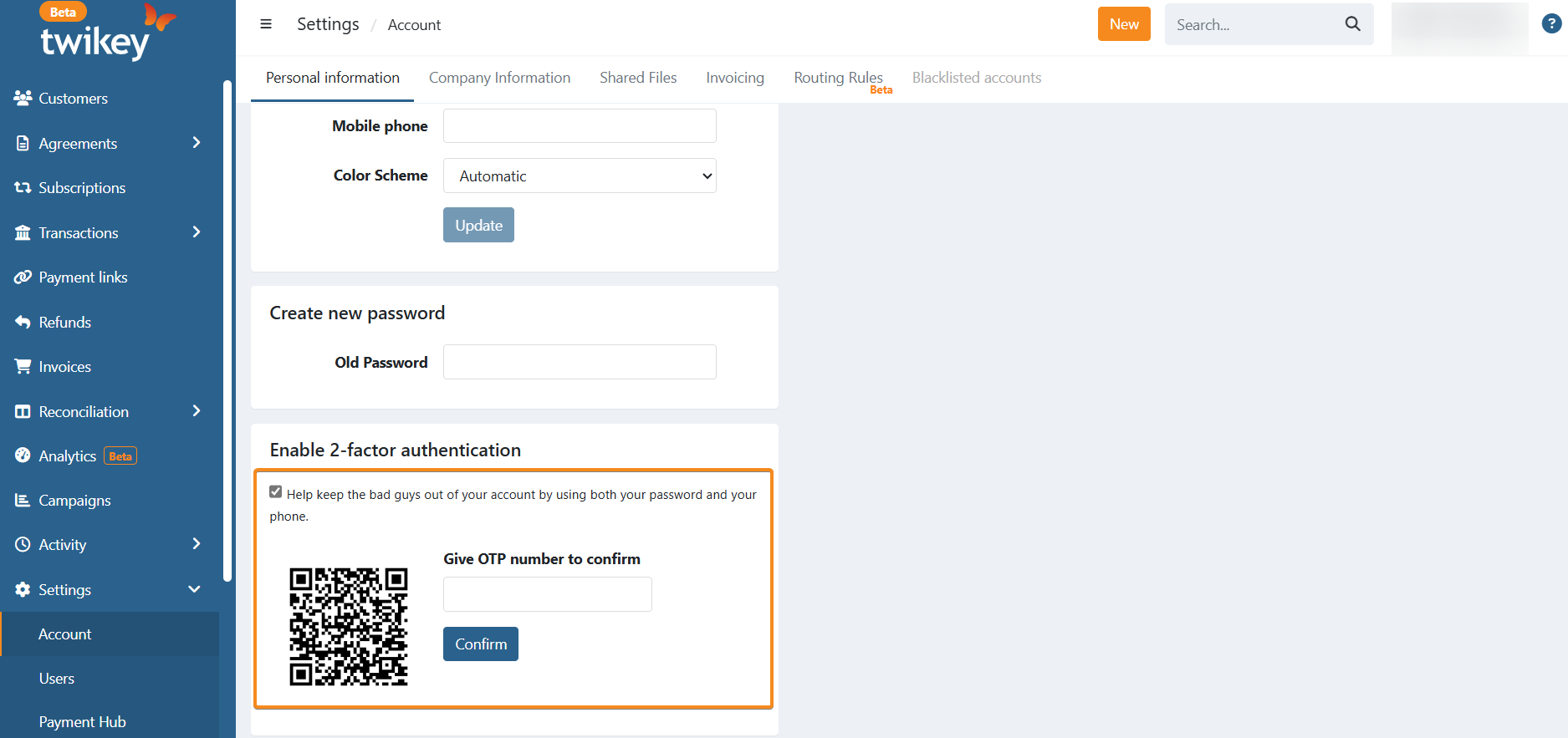
- From now on, you will be prompted for an OTP each time you log in.
Forgot your password
Twikey does not store your password and will never request it by email or phone.
To reset a forgotten password, use the Reset option on the login screen: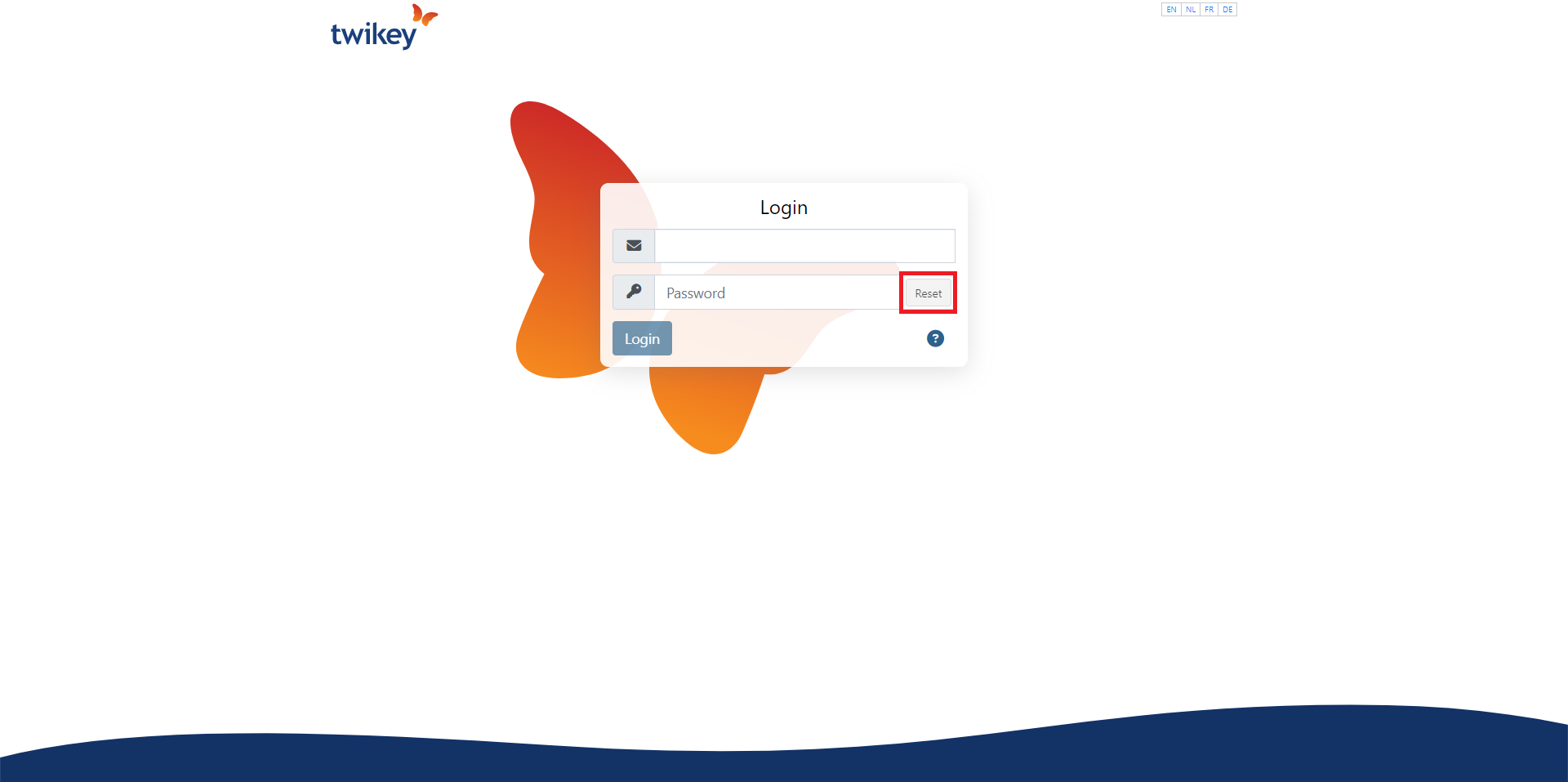
Login sessions
Login sessions expire after a period of inactivity.
Accounts with 2FA enabled enjoy longer session times compared to accounts without 2FA.