
How to merge customers
You can merge two existing customers into one customer. This is commonly done for:
- To merge customers that were mistakenly duplicated.
- To merge company-type customers that have recently underwent a merger or acquisition process. For example: Both Company A and Company B are your customers. However, one day, Company A acquired Company B. Thus, it's logical to merge Company A and Company B into a single customer in your Twikey environment, as they have become one business entity in the real world.
- Navigate to the customer overview interface.
- Optional: If needed, you can adjust which customers are displayed on this interface. Use our search bar and filters to adjust this. You can use it to pre-select customers based on certain properties (for example: to separate company-type customers from person-type customers).
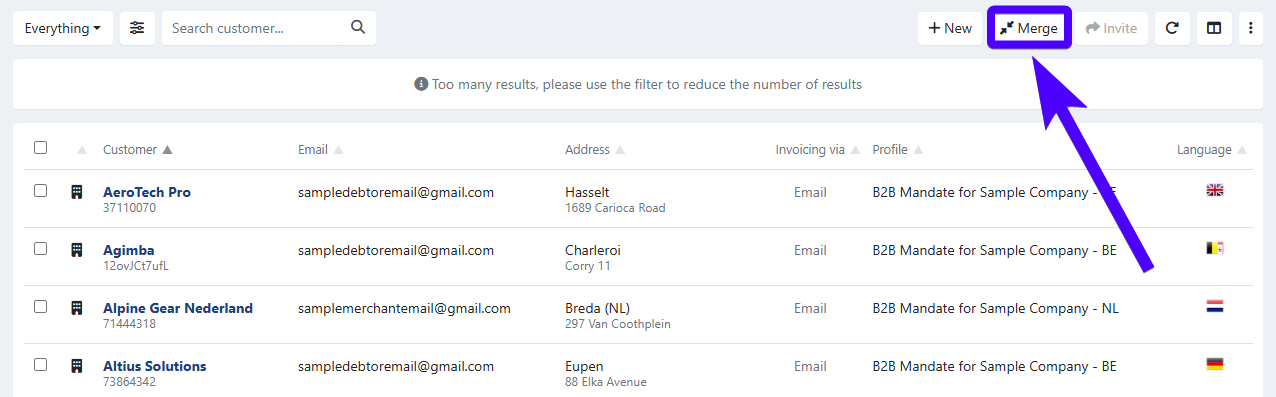
- Click on Merge.
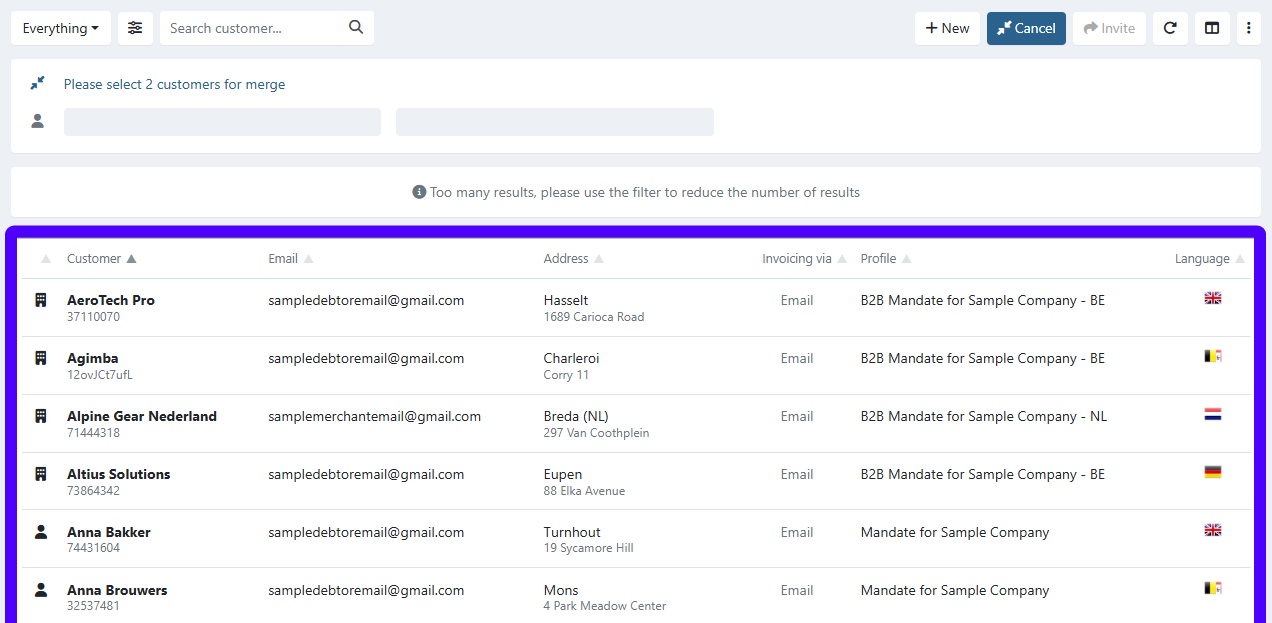
- Click on two customers that you'd like to merge. Select them from your list of customers.
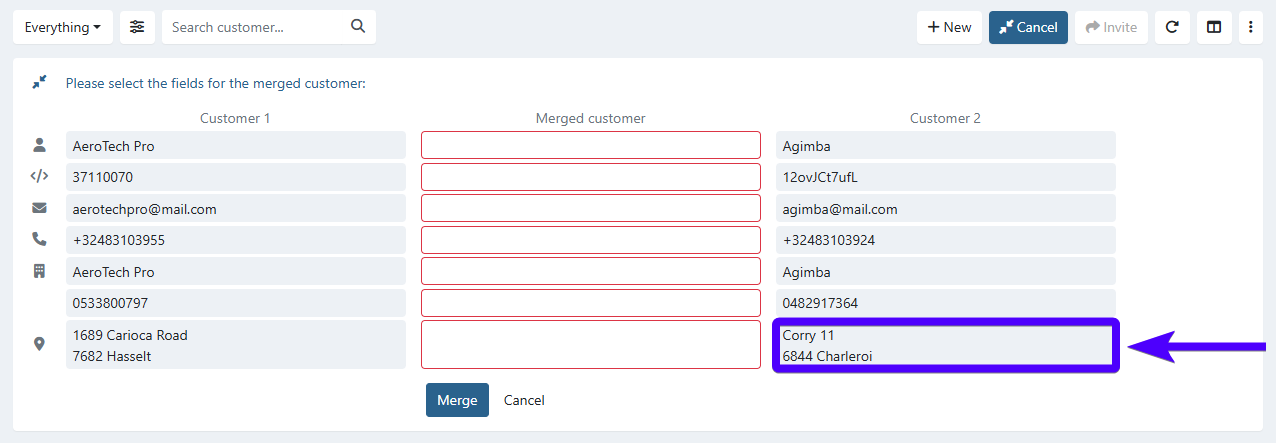
- When two customers are merged into one, the merged customer will only have one name, one phone number, one address, etc. Thus, you will need to select the specific data from Customer 1 and Customer 2 that will be inherited by the merged customer by clicking on that data.
For example, you'd like for the merged customer to inherit Customer 2's address. In that case, you'll need to click on Customer 2's address, as shown in the screenshot below:
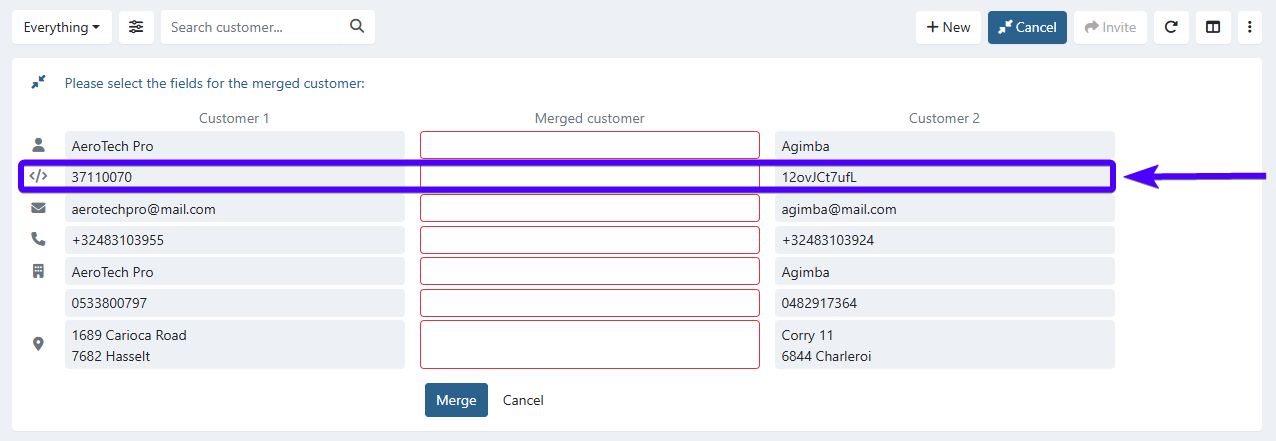
Make sure that the newly merged customer will inherit the correct customer number - as this is one of the main ways of identifying a customer. Customer numbers are widely used in Twikey (for example: for sending invoices to a customer, for exporting and importing data from Twikey, and for various other purposes). The customer number can be selected in the second row, as shown in the image below.
- Click on Merge.
**This action cannot be undone.** Once two customers are merged, they cannot be split again. Make sure you have selected the correct customer data before confirming.
The newly created merged customer will also inherit the following items from the two previous customers:
- Agreements
- Subscriptions
- Invoices
- Transactions
- Payment links
- Refunds
The steps above show how two merge two customer profiles into one. But what if a real-life customer has more than two customer profiles in Twikey?
In this case, you'll need to repeat the merging process until there's only one customer profile remaining.
Last Update: 2026-01-20