
How to follow up signing progress
- Progress in the agreements overview
- Progress on the agreement detail page
- Progress toolbar steps
- Continuing on a later date
- B2B mandates
When you send a signing invitation, you can track how far your customer got in the signing flow. Without a Campaign, this progress view is the main way to check individual pending agreements.
Progress in the agreements overview
- Navigate to Agreements in the left-hand navigation menu.
- Open the Overview tab.
The overview shows a progress indicator for each pending agreement.
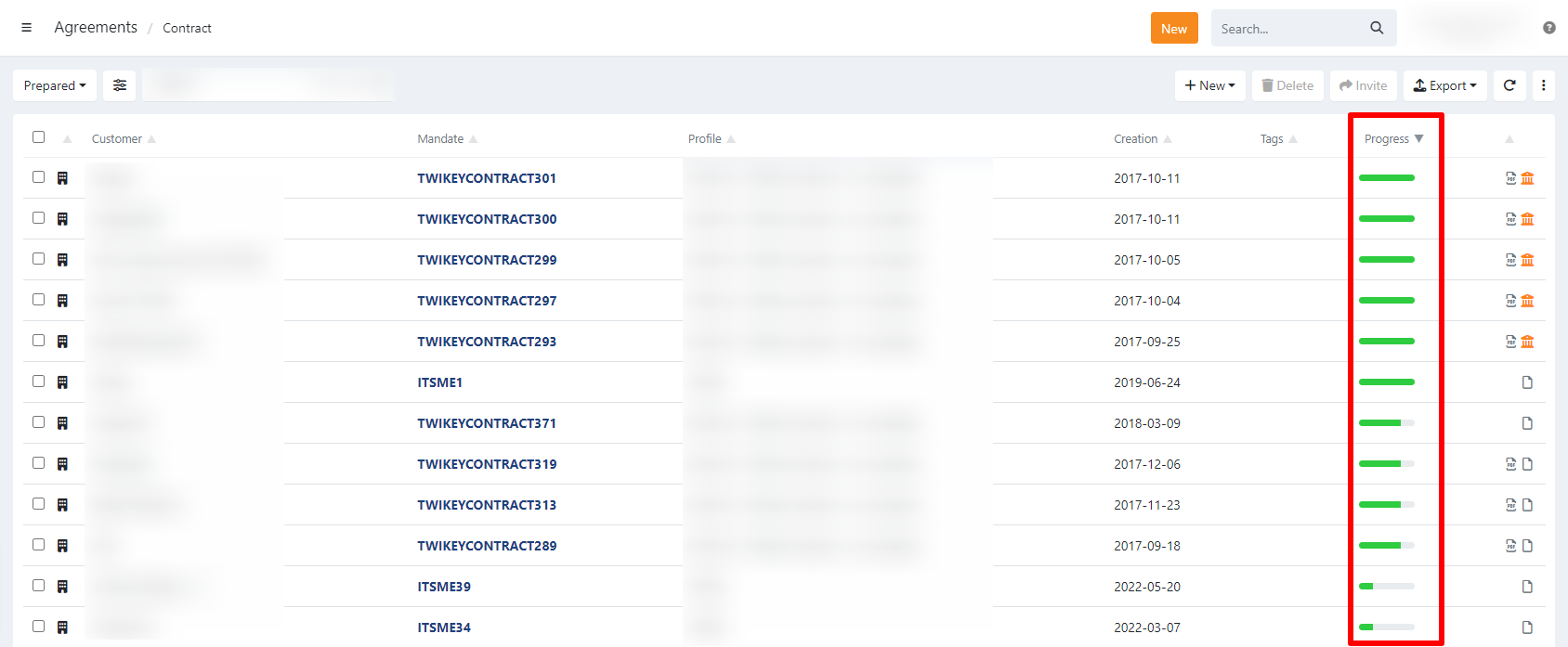
Progress on the agreement detail page
- Navigate to Agreements in the left-hand navigation menu.
- Open the Overview tab.
- Click the agreement to open the detail page.
The Last Action section on the right shows the progress toolbar. Below the toolbar, the timestamp shows when the latest step was reached.
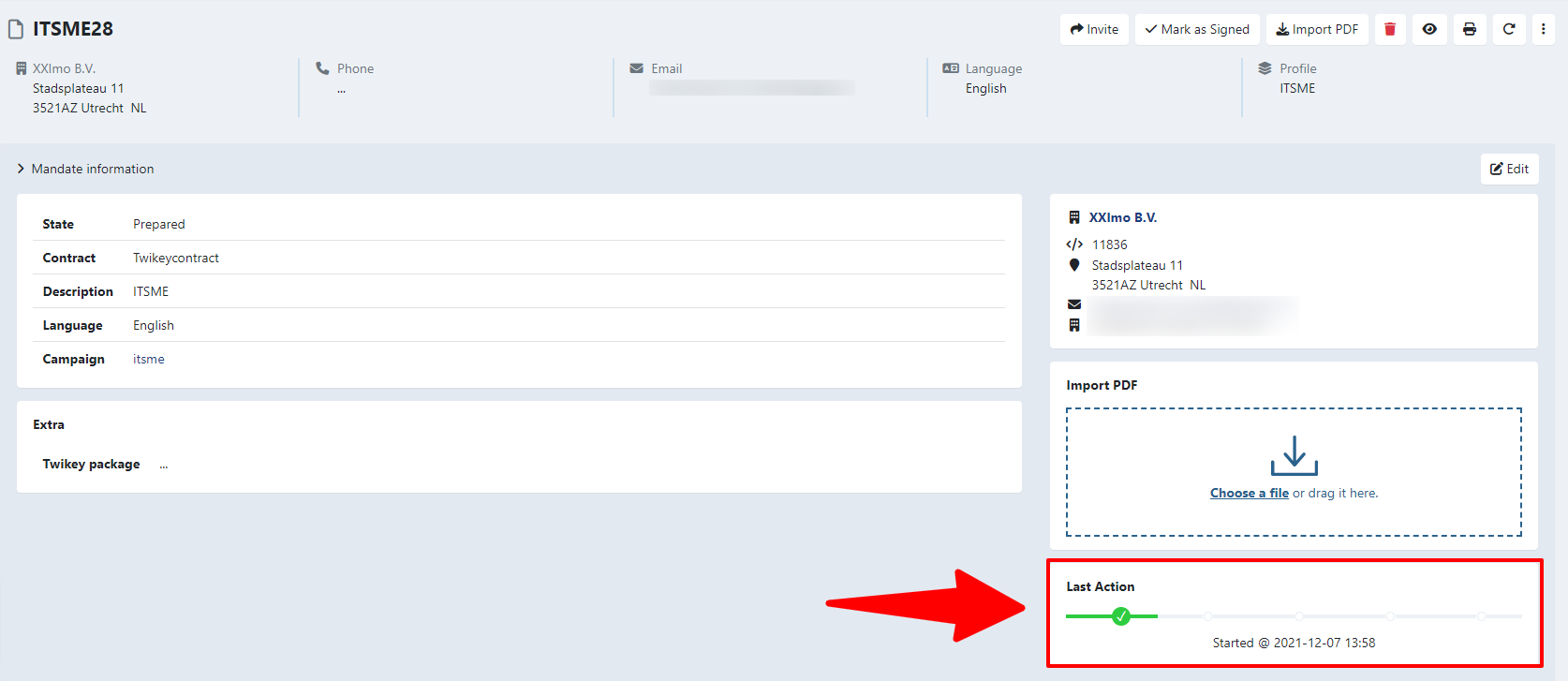
Progress toolbar steps
The toolbar tracks your customer's progress through five steps. Each step lights up as the customer completes it.
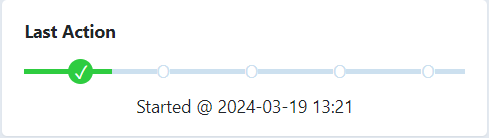
Started — The customer accepted the terms and conditions and confirmed their details are correct.
Account checked — The customer entered their account number.
Saved — The customer confirmed their account number and continued to the preview page.
Signing — The customer chose a signing method and continued to the signature page.
Done — The agreement is fully signed and moves to the signed documents.
Continuing on a later date
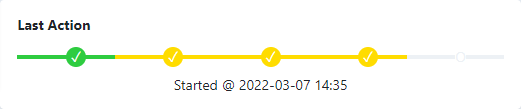
When your customer stops and returns to the signing flow later, the toolbar shows two layers of progress:
- Green — The current progress in the latest signing attempt.
- Yellow — The furthest point reached in a previous attempt.
B2B mandates
B2B mandates that still require bank approval remain in the pending documents section until the bank approves them. The progress toolbar is no longer shown once your customer has completed their part of the signing flow.